Skip to content
Learn why WordPress as a CMS is the best choice for websites. Explore features, benefits, use cases, and how to get started with WordPress.
WordPress as a CMS: The Complete Guide for Beginners and Businesses
If you’re planning to build a website, you’ve probably heard about WordPress as a CMS. Whether you want to create a personal blog, business website, online store, portfolio, or news portal, WordPress offers one of the easiest and most powerful content management systems available today.
Originally launched as a blogging platform, WordPress has evolved into a full-featured CMS capable of powering almost every type of website. Today, millions of websites around the world rely on WordPress because it combines flexibility, ease of use, and powerful customization options.
In this guide, you’ll learn what WordPress as a CMS means, how it works, its advantages, and why it continues to dominate the website development industry.
What Is a CMS?
A Content Management System (CMS) is software that allows users to create, edit, organize, and publish website content without writing code.
Instead of manually editing HTML files, a CMS provides an easy dashboard where you can:
- Create pages
- Publish blog posts
- Upload images
- Manage menus
- Install themes
- Add plugins
- Control users
- Update your website
A CMS separates your content from your website’s design, making it easier to manage and maintain.
What Is WordPress as a CMS?
WordPress as a CMS refers to using WordPress as a complete content management system instead of just a blogging platform.
Today, WordPress allows users to build:
- Business websites
- Company profiles
- Personal blogs
- eCommerce stores
- Membership websites
- Educational platforms
- News portals
- Portfolio websites
- Real estate websites
- Healthcare websites
- Government websites
- Non-profit organizations
Thanks to thousands of themes and plugins, WordPress can be customized for almost any industry.
Why WordPress Is the Most Popular CMS
WordPress powers a significant share of websites across the internet, making it the world’s most widely used CMS.
There are several reasons for its popularity:
Easy to Learn
You don’t need programming knowledge.
The dashboard is beginner-friendly, allowing anyone to manage content with minimal training.
Highly Flexible
WordPress works for:
- Small blogs
- Large enterprise websites
- Online stores
- Forums
- Learning management systems
- Booking websites
One platform can support almost every website type.
Open Source
WordPress is completely free.
You only pay for:
- Hosting
- Domain name
- Premium themes (optional)
- Premium plugins (optional)
There are no monthly licensing fees.
Huge Plugin Library
Plugins add new functionality without coding.
Examples include:
- SEO optimization
- Security
- Backups
- Contact forms
- Membership systems
- Online payments
- Live chat
- Analytics
This modular approach makes WordPress extremely powerful.
Thousands of Themes
Themes control your website’s appearance.
You can choose from:
- Free themes
- Premium themes
- Business themes
- Magazine themes
- Portfolio themes
- WooCommerce themes
Most themes are mobile responsive.
Core Features of WordPress as a CMS
WordPress includes many built-in features.
User Management
Create different user roles such as:
- Administrator
- Editor
- Author
- Contributor
- Subscriber
Each role has its own permissions.
Media Library
Upload and organize:
- Images
- Videos
- PDFs
- Documents
- Audio files
The Media Library keeps everything organized.
Content Editor
The Block Editor makes creating pages simple.
You can insert:
- Headings
- Images
- Buttons
- Galleries
- Videos
- Columns
- Tables
- Embeds
No coding is required.
Categories and Tags
Organize blog content efficiently using:
- Categories
- Tags
This improves navigation and SEO.
Menu Management
Create custom navigation menus with drag-and-drop functionality.
Widgets
Widgets allow you to add:
- Search boxes
- Recent posts
- Categories
- Social icons
- Contact information
- Custom HTML
Built-in Blogging
Unlike many CMS platforms, blogging is a core feature of WordPress.
Publishing articles takes only a few clicks.
Benefits of Using WordPress as a CMS
SEO Friendly
WordPress generates clean code and supports:
- Meta titles
- Meta descriptions
- XML sitemaps
- Canonical URLs
- Schema markup
- SEO plugins
This helps websites rank higher in search engines.
Mobile Responsive
Most modern themes automatically adjust to:
- Smartphones
- Tablets
- Desktop computers
Responsive design also improves user experience.
Secure
With regular updates and proper security practices, WordPress can be highly secure.
You can improve security further using:
- Firewalls
- Security plugins
- SSL certificates
- Two-factor authentication
Scalable
WordPress grows with your business.
You can start with a small website and later expand into:
- Hundreds of pages
- Thousands of blog posts
- Large online stores
- Membership systems
Community Support
Millions of developers contribute to WordPress.
You’ll find:
- Tutorials
- Forums
- Documentation
- YouTube videos
- Developer communities
Finding help is easy.
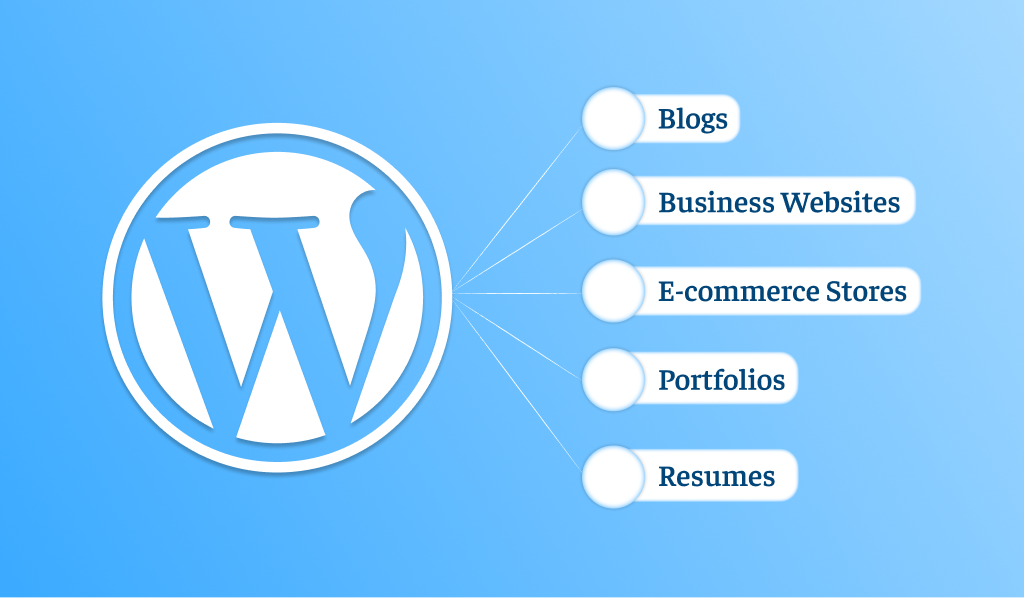
Types of Websites You Can Build
Using WordPress as a CMS, you can build almost anything.
Examples include:
Business Website
Display:
- Services
- Team members
- Testimonials
- Contact forms
Perfect for companies of all sizes.
Blog
WordPress remains one of the best blogging platforms available.
Publish articles, organize categories, and engage readers easily.
Portfolio Website
Ideal for:
- Designers
- Photographers
- Developers
- Architects
- Freelancers
Online Store
Using WooCommerce, you can sell:
- Physical products
- Digital downloads
- Services
- Subscriptions
Educational Website
Create:
- Online courses
- Student portals
- Membership content
- Learning resources
News Website
Publish breaking news, articles, editorials, and multimedia content.
WordPress CMS vs Traditional Website Development
| Feature | WordPress CMS | Traditional Coding |
|---|---|---|
| Easy Content Editing | ✅ | ❌ |
| Coding Required | Minimal | Extensive |
| Fast Development | ✅ | ❌ |
| Plugin Support | ✅ | ❌ |
| Theme Support | ✅ | ❌ |
| SEO Friendly | ✅ | Depends |
| Easy Updates | ✅ | Manual |
For most businesses, WordPress significantly reduces development time.
Who Should Use WordPress?
WordPress is suitable for:
- Beginners
- Bloggers
- Freelancers
- Small businesses
- Startups
- Agencies
- Schools
- Universities
- Hospitals
- Government organizations
- Large enterprises
Its flexibility makes it suitable for nearly every industry.
Tips for Using WordPress Successfully
To get the best results:
- Choose reliable web hosting.
- Keep WordPress updated.
- Install only trusted plugins.
- Use responsive themes.
- Create regular backups.
- Optimize images before uploading.
- Use strong passwords.
- Enable SSL.
- Improve website speed with caching.
- Monitor website security regularly.
Common Misconceptions About WordPress
“WordPress Is Only for Blogs”
False.
Modern WordPress powers corporate websites, eCommerce stores, educational platforms, and enterprise solutions.
“WordPress Isn’t Secure”
WordPress itself is regularly updated. Most security issues come from outdated plugins, weak passwords, or poor hosting.
“WordPress Is Only for Beginners”
Many professional developers use WordPress because of its flexibility, scalability, and extensive ecosystem.
Frequently Asked Questions
Is WordPress a CMS?
Yes. WordPress is one of the world’s most popular Content Management Systems and is used to build everything from blogs to enterprise websites.
Is WordPress free?
Yes. WordPress is open-source software. However, you’ll typically need to pay for web hosting and a domain name.
Can I build a business website with WordPress?
Absolutely. Thousands of businesses use WordPress for company websites, portfolios, service pages, and online stores.
Do I need coding skills?
No. Most users can build and manage a WordPress website without writing code, thanks to themes, plugins, and visual editors.
Can WordPress handle large websites?
Yes. With quality hosting and proper optimization, WordPress can scale to support high-traffic and content-rich websites.
Conclusion
Using WordPress as a CMS gives you a powerful, flexible, and user-friendly platform for building almost any type of website. Whether you’re launching a personal blog, managing a growing business, or creating an online store, WordPress provides the tools needed to publish content, customize design, and expand functionality without starting from scratch.
Its open-source nature, vast ecosystem of themes and plugins, strong SEO capabilities, and active community make WordPress a reliable long-term choice for beginners and experienced developers alike. If you’re looking for a CMS that can grow with your website, WordPress remains one of the best options available.
External Resources
| Resource | Purpose |
|---|---|
| https://wordpress.org | Download WordPress and access official documentation |
| https://developer.wordpress.org | WordPress developer resources and API documentation |
| https://woocommerce.com | Build an online store with WooCommerce |
| https://wordpress.tv | Watch WordPress tutorials and presentations |
| https://learn.wordpress.org | Free WordPress learning courses and tutorials |