Skip to content
Compare WordPress vs Shopify in 2026. Learn the differences in pricing, SEO, customization, security, and choose the best platform.
WordPress vs Shopify
Choosing the right platform is one of the most important decisions when building a website or online store. The debate around WordPress vs Shopify has been ongoing for years because both platforms are powerful, reliable, and trusted by millions of businesses worldwide.
However, they are designed for different purposes. WordPress gives you complete control over your website with unlimited customization, while Shopify focuses on making eCommerce simple and beginner-friendly.
In this guide, we’ll compare WordPress vs Shopify in detail, including pricing, ease of use, SEO, security, themes, scalability, and much more so you can confidently decide which platform fits your business.
What Is WordPress?
WordPress is the world’s most popular content management system (CMS), powering over 40% of all websites on the internet. It is open-source software that allows you to create:
- Business websites
- Blogs
- Portfolio websites
- Membership sites
- Online courses
- News websites
- WooCommerce online stores
- Booking websites
- Forums
With plugins and themes, WordPress can be customized into almost any type of website.
What Is Shopify?
Shopify is a fully hosted eCommerce platform built specifically for selling products online.
Unlike WordPress, Shopify manages:
- Hosting
- Security
- Backups
- Software updates
- Payment processing
Everything is managed from one dashboard, making it popular among beginners who want to launch an online store quickly.
WordPress vs Shopify: Quick Comparison
| Feature | WordPress | Shopify |
|---|---|---|
| Best For | Any website | Online stores |
| Hosting | Required separately | Included |
| Ease of Use | Moderate | Very Easy |
| SEO | Excellent | Good |
| Customization | Unlimited | Limited |
| Themes | Thousands | Hundreds |
| Plugins/Apps | 60,000+ plugins | 8,000+ apps |
| Blogging | Excellent | Basic |
| Scalability | Unlimited | Excellent |
| Ownership | Full control | Shopify controls hosting |
| Monthly Cost | Flexible | Fixed subscription |
Ease of Use
When comparing WordPress vs Shopify, beginners usually find Shopify easier.
WordPress
WordPress requires:
- Buying hosting
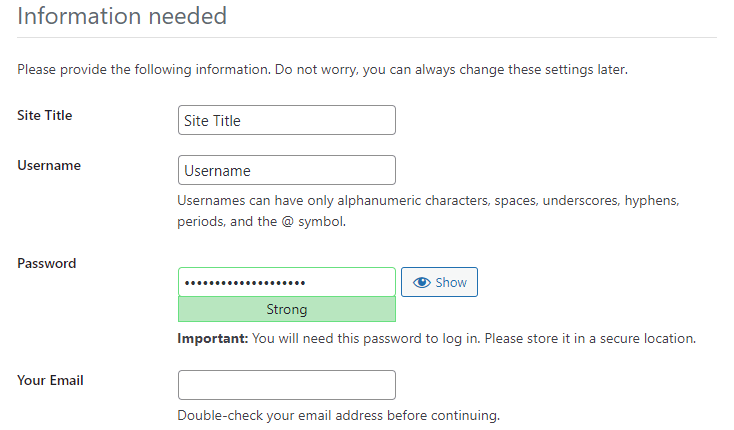
- Installing WordPress
- Choosing a theme
- Installing plugins
- Configuring settings
Although many hosting providers offer one-click installation, beginners still need some learning.
Advantages
- Complete freedom
- Unlimited customization
- Massive community support
Shopify
Shopify is ready to use immediately.
You simply:
- Create an account
- Choose a theme
- Add products
- Connect payments
- Start selling
There is almost no technical setup involved.
Winner: Shopify
Pricing Comparison
Pricing is one of the biggest differences between WordPress vs Shopify.
WordPress Costs
Typical expenses include:
- Domain name
- Web hosting
- Premium theme (optional)
- Premium plugins (optional)
Basic websites can cost very little, while advanced stores may invest more depending on their needs.
Shopify Costs
Shopify charges a monthly subscription that includes:
- Hosting
- SSL certificate
- Security
- Updates
- Basic eCommerce features
Additional costs may include:
- Premium themes
- Paid apps
- Transaction fees (depending on payment gateway)
Winner: WordPress offers greater flexibility and can be more affordable for many users.
Design and Customization
Customization is where WordPress truly shines.
WordPress
You can choose from:
- Free themes
- Premium themes
- Page builders
- Custom code
- Custom plugins
Popular page builders include:
- Elementor
- Bricks
- Divi
- Beaver Builder
Developers can customize every part of the website.
Shopify
Shopify offers professional themes that are optimized for online stores.
Customization options include:
- Theme editor
- Shopify Apps
- Liquid template language
However, deep customization often requires Shopify development knowledge.
Winner: WordPress
SEO Comparison
SEO is one of the most important factors when choosing between WordPress vs Shopify.
WordPress SEO
WordPress is widely considered one of the best SEO platforms because you can optimize almost everything.
Benefits include:
- Custom meta titles
- Meta descriptions
- XML sitemaps
- Schema markup
- Canonical URLs
- Breadcrumbs
- Internal linking
- Image optimization
- Advanced redirects
- Robots.txt editing
Popular SEO plugins:
- Yoast SEO
- Rank Math
- All in One SEO
Shopify SEO
Shopify includes many SEO features by default.
These include:
- Automatic XML sitemap
- SSL certificate
- Mobile-friendly themes
- Editable meta tags
- Canonical URLs
However, Shopify has some limitations such as:
- Fixed URL structure
- Less control over technical SEO
- Limited advanced customization
Winner: WordPress
Blogging Features
Content marketing plays a huge role in organic traffic.
WordPress
Originally built for blogging, WordPress offers:
- Categories
- Tags
- Custom post types
- Related posts
- Advanced editors
- Thousands of blogging plugins
Shopify
Shopify includes blogging, but it remains relatively basic.
If blogging is an important part of your SEO strategy, WordPress is the stronger option.
Winner: WordPress
eCommerce Features
If your primary goal is selling products online, Shopify excels.
Shopify includes:
- Inventory management
- Shipping tools
- Discount codes
- Gift cards
- Abandoned cart recovery
- Multi-channel selling
- POS support
- Built-in payment options
WordPress (WooCommerce)
WooCommerce offers:
- Unlimited products
- Multiple payment gateways
- Flexible shipping
- Subscription products
- Bookings
- Memberships
- Wholesale pricing
- Marketplace plugins
Although WooCommerce is extremely powerful, it usually requires additional plugins for advanced features.
Winner: Shopify for beginners, WordPress for flexibility.
Performance
Website speed depends on many factors.
WordPress
Performance depends on:
- Hosting quality
- Theme
- Plugins
- Caching
- CDN
- Image optimization
A well-optimized WordPress website can achieve excellent Core Web Vitals and fast loading times.
Shopify
Since Shopify is fully managed, performance is consistently good without much optimization.
Winner: Tie
Security
WordPress
Security depends on:
- Hosting
- Updates
- Security plugins
- Password management
- Backups
Popular security plugins include Wordfence, Solid Security, and Sucuri.
Shopify
Shopify automatically handles:
- Security patches
- SSL
- PCI compliance
- Server maintenance
- Backups
Winner: Shopify
Apps and Plugins
WordPress
The WordPress ecosystem includes more than 60,000 free plugins.
You can add features like:
- SEO
- Forms
- Memberships
- LMS
- Forums
- Booking systems
- Automation
- AI integrations
Shopify
Shopify App Store contains thousands of apps focused mainly on eCommerce.
Many advanced features require paid subscriptions.
Winner: WordPress
Payment Gateways
WordPress
WooCommerce supports hundreds of payment gateways worldwide.
Popular options include:
- Stripe
- PayPal
- Authorize.net
- Square
- Regional payment gateways
Shopify
Shopify supports:
- Shopify Payments
- PayPal
- Stripe (where available)
- Many regional payment providers
Availability varies by country.
Winner: Tie
Scalability
Both platforms scale well.
WordPress
Perfect for:
- Large blogs
- Enterprise websites
- Membership platforms
- Learning management systems
- Large WooCommerce stores
Shopify
Excellent for:
- Growing online stores
- High-volume retailers
- International businesses
- Multi-channel commerce
Winner: Tie
Customer Support
WordPress
Support comes from:
- Hosting providers
- Plugin developers
- Theme developers
- Community forums
- Documentation
Shopify
Offers:
- 24/7 customer support
- Live chat
- Help center
- Community forum
Winner: Shopify
Pros and Cons
WordPress Pros
- Full website ownership
- Outstanding SEO capabilities
- Unlimited customization
- Massive plugin ecosystem
- Excellent blogging platform
- Flexible hosting choices
- Lower long-term costs for many websites
WordPress Cons
- Requires maintenance
- Learning curve
- Security depends on the user
- Hosting must be managed
Shopify Pros
- Extremely beginner-friendly
- Hosting included
- Automatic updates
- Excellent security
- Reliable uptime
- Built specifically for eCommerce
Shopify Cons
- Monthly subscription
- Transaction fees in some cases
- Limited customization compared to WordPress
- Fewer blogging features
- Less technical SEO flexibility
WordPress vs Shopify: Which Should You Choose?
Choose WordPress if you:
- Want complete control over your website
- Care about advanced SEO
- Publish regular blog content
- Need custom functionality
- Plan to build more than an online store
- Want maximum flexibility as your business grows
Choose Shopify if you:
- Want to launch an online store quickly
- Prefer an all-in-one hosted solution
- Don’t want to manage hosting or updates
- Need built-in eCommerce tools
- Have little or no technical experience
Frequently Asked Questions
Is WordPress better than Shopify?
It depends on your goals. WordPress is better for flexibility, blogging, and advanced SEO, while Shopify is better for users who want a simple, managed eCommerce platform.
Which platform is better for SEO?
WordPress generally offers more powerful SEO capabilities because it gives you greater control over technical SEO, content optimization, and plugins.
Is Shopify easier to use?
Yes. Shopify is designed for beginners and requires very little technical knowledge.
Can WordPress handle large online stores?
Yes. WooCommerce can support thousands of products when paired with quality hosting and proper optimization.
Which platform is cheaper?
WordPress can be more affordable depending on your hosting and plugin choices, while Shopify uses predictable monthly subscription plans.
Can I migrate from Shopify to WordPress?
Yes. Several migration tools and services allow you to transfer products, customers, orders, and content from Shopify to WordPress with WooCommerce.
Conclusion
The WordPress vs Shopify comparison ultimately comes down to your priorities. If you need complete flexibility, powerful SEO tools, extensive customization, and a platform that can grow into virtually any type of website, WordPress is the stronger long-term choice. Its vast ecosystem of themes, plugins, and content management capabilities makes it ideal for businesses that rely on both content marketing and eCommerce.
On the other hand, if your primary goal is to launch and manage an online store with minimal technical effort, Shopify provides a streamlined, all-in-one solution with reliable hosting, built-in security, and dedicated eCommerce features. For many beginners, this simplicity outweighs the limitations in customization.
No matter which platform you choose, success will depend on creating valuable content, optimizing your website for search engines, offering a great user experience, and selecting a solution that aligns with your long-term business goals.
External Resources
| Resource | Purpose |
|---|---|
| https://wordpress.org | Official WordPress website |
| https://woocommerce.com | WooCommerce documentation and extensions |
| https://shopify.com | Official Shopify platform |
| https://developers.shopify.com | Shopify developer documentation |
| https://yoast.com | SEO guidance for WordPress |
| https://rankmath.com | WordPress SEO plugin resources |
| https://developers.google.com/search | Google Search documentation |
| https://pagespeed.web.dev | Test website speed and Core Web Vitals |