Skip to content
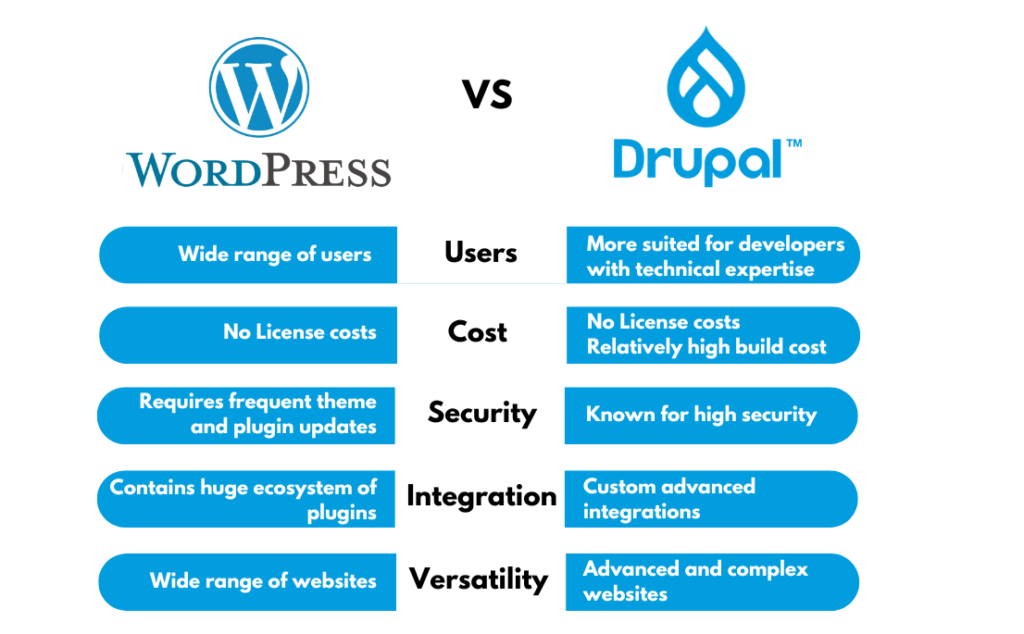
Compare Drupal vs WordPress in 2026. Learn the differences in security, SEO, performance, ease of use, pricing, and scalability.
Drupal vs WordPress
Choosing the right Content Management System (CMS) is one of the most important decisions when building a website. The Drupal vs WordPress debate has existed for years because both platforms are powerful but designed for different types of users and projects.
WordPress powers over 40% of all websites on the internet, making it the world’s most popular CMS. Drupal, on the other hand, is trusted by governments, universities, and large enterprises that require advanced security and complex content management.
So which platform is right for you in 2026?
In this detailed comparison, we’ll compare WordPress and Drupal based on ease of use, customization, security, SEO, performance, scalability, pricing, and much more.
What is WordPress?
WordPress is an open-source CMS designed to make website creation simple for beginners while remaining powerful enough for professionals.
Whether you’re building:
- Personal blogs
- Business websites
- WooCommerce stores
- Membership websites
- Portfolio websites
- Online courses
- News portals
WordPress has thousands of themes and plugins that allow you to build almost anything without coding.
Pros
- Beginner-friendly
- Huge plugin ecosystem
- Thousands of themes
- Excellent SEO support
- Large global community
- Affordable hosting
Cons
- Needs regular plugin updates
- Too many plugins can slow a website
- Security depends on proper maintenance
What is Drupal?
Drupal is another open-source CMS known for flexibility, enterprise-grade security, and handling complex content structures.
Drupal is commonly used by:
- Government organizations
- Universities
- Healthcare institutions
- Large corporations
- High-traffic websites
Unlike WordPress, Drupal has a steeper learning curve and is generally better suited for developers or organizations with technical teams.
Pros
- Highly secure
- Extremely flexible
- Excellent for large websites
- Powerful content management
- Handles complex user permissions
Cons
- Difficult for beginners
- Smaller module ecosystem
- Higher development cost
- Requires technical expertise
Drupal vs WordPress Comparison Table
| Feature | WordPress | Drupal |
|---|---|---|
| Ease of Use | ⭐⭐⭐⭐⭐ | ⭐⭐ |
| Learning Curve | Easy | Difficult |
| SEO | Excellent | Excellent |
| Security | Very Good | Excellent |
| Performance | Excellent with optimization | Excellent |
| Themes | Thousands | Limited |
| Plugins/Modules | 60,000+ | Smaller ecosystem |
| eCommerce | WooCommerce | Drupal Commerce |
| Community | Massive | Smaller |
| Cost | Lower | Higher |
| Best For | Blogs, Business, eCommerce | Enterprise Websites |
Ease of Use
This is where WordPress wins by a huge margin.
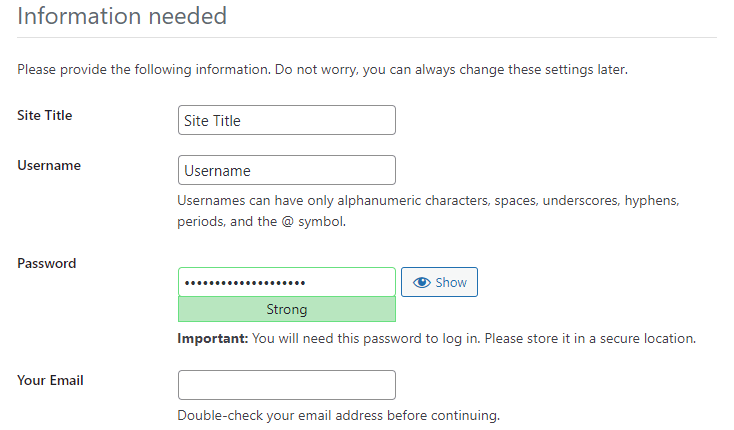
Installing WordPress takes just a few minutes, and most hosting companies offer one-click installation. The dashboard is intuitive, allowing users to create pages, publish blog posts, upload media, and install plugins without technical knowledge.
Drupal, however, is designed with developers in mind. Tasks such as creating content types, configuring permissions, and building layouts often require more technical expertise.
Winner: WordPress
Installation Process
WordPress
Most hosting providers install WordPress automatically.
Typical setup time:
- 5–10 minutes
Drupal
Drupal installation requires more configuration and understanding of server environments.
Typical setup time:
- 20–60 minutes
Winner: WordPress
Design and Themes
WordPress offers one of the largest theme marketplaces online.
You can choose from:
- Free themes
- Premium themes
- Drag-and-drop builders
- Full Site Editing themes
- WooCommerce themes
Drupal also supports themes but has a much smaller selection.
Many Drupal websites require custom theme development.
Winner: WordPress
Plugins vs Modules
One of WordPress’s greatest strengths is its plugin ecosystem.
Popular plugins include:
- SEO plugins
- Backup plugins
- Cache plugins
- Security plugins
- Contact forms
- Membership systems
- LMS platforms
- Booking systems
Drupal uses Modules instead of plugins.
Although powerful, the number of available modules is significantly smaller.
Winner: WordPress
SEO Comparison
When discussing Drupal vs WordPress, SEO is one of the biggest deciding factors.
WordPress SEO
WordPress offers excellent SEO support through plugins like:
- Yoast SEO
- Rank Math
- All in One SEO
Features include:
- XML sitemaps
- Schema markup
- Meta titles
- Meta descriptions
- Open Graph
- Breadcrumbs
- Canonical URLs
- Redirect management
Drupal SEO
Drupal also supports strong SEO through modules.
You can configure:
- Clean URLs
- XML sitemaps
- Metadata
- Redirects
- Structured data
However, many SEO settings require additional configuration compared to WordPress.
Winner: WordPress
Performance
Both platforms can be extremely fast when properly optimized.
Performance depends on:
Drupal is often praised for handling complex enterprise applications efficiently, while WordPress can achieve excellent PageSpeed scores with proper optimization.
Winner: Tie
Security
Drupal has an outstanding reputation for security.
Many government agencies use Drupal because of its strict security standards and dedicated security team.
WordPress is also secure, but because it powers millions of websites, it is a more common target for attacks. Most security issues arise from outdated plugins, themes, or weak passwords rather than the core software.
With proper updates, security plugins, strong passwords, two-factor authentication, and a web application firewall, WordPress can also be highly secure.
Winner: Drupal
Customization
WordPress makes customization accessible through themes, plugins, and page builders.
Drupal offers even deeper customization with flexible content types, views, taxonomy, and user permissions, making it ideal for highly complex applications.
Winner: Drupal
Content Management
Drupal excels in managing:
- Complex content relationships
- Multi-author publishing
- Advanced workflows
- Editorial permissions
- Large databases
WordPress is excellent for blogs and business websites but requires additional plugins for some advanced editorial workflows.
Winner: Drupal
eCommerce
WordPress uses WooCommerce, which powers millions of online stores worldwide.
WooCommerce supports:
- Physical products
- Digital downloads
- Memberships
- Subscriptions
- Bookings
- Multi-vendor marketplaces
Drupal offers Drupal Commerce, which is highly flexible but generally requires more development effort.
Winner: WordPress
Multilingual Support
Drupal includes multilingual functionality in its core, making it easier to build websites in multiple languages without relying heavily on additional modules.
WordPress supports multilingual websites through popular plugins such as WPML, TranslatePress, and Polylang.
If your project requires advanced multilingual workflows from day one, Drupal has an advantage.
Winner: Drupal
Scalability
Drupal was designed for large-scale enterprise applications.
It handles:
- Millions of content items
- Complex taxonomies
- Enterprise workflows
- Advanced APIs
WordPress can also scale effectively when paired with quality hosting, caching, and optimized infrastructure, but Drupal provides more built-in flexibility for extremely complex systems.
Winner: Drupal
Community Support
WordPress has one of the largest open-source communities in the world.
You’ll find:
- Millions of tutorials
- Thousands of developers
- Active forums
- Facebook groups
- YouTube channels
- Online courses
Drupal has a knowledgeable community as well, though it is smaller and more developer-focused.
Winner: WordPress
Pricing
Both platforms are free and open source.
Your expenses typically include:
- Domain name
- Web hosting
- Premium themes
- Premium plugins/modules
- Developer fees
WordPress projects are generally less expensive because of the larger ecosystem of ready-made solutions.
Drupal projects often require custom development, increasing the overall cost.
Winner: WordPress
Pros and Cons
WordPress Pros
- Easy to learn
- Excellent SEO
- Thousands of plugins
- Huge theme marketplace
- Affordable hosting
- WooCommerce integration
- Massive community
- Ideal for beginners
WordPress Cons
- Requires maintenance
- Plugin compatibility issues can occur
- Performance depends on optimization
Drupal Pros
- Enterprise-level security
- Advanced content management
- Built-in multilingual support
- Highly scalable
- Flexible architecture
- Powerful user permissions
Drupal Cons
- Steep learning curve
- Smaller ecosystem
- Higher development costs
- Less beginner-friendly
Which CMS Should You Choose?
Choose WordPress if you want:
- A blog
- Small business website
- WooCommerce store
- Portfolio
- Membership site
- Fast website launch
- Easy content management
- Lower development costs
Choose Drupal if you need:
- Enterprise applications
- Government websites
- University portals
- Large editorial workflows
- Advanced security
- Complex user roles
- Highly customized content structures
Frequently Asked Questions
Is Drupal better than WordPress?
Not necessarily. Drupal is better for enterprise-level and highly customized projects, while WordPress is better for most blogs, business websites, and online stores due to its ease of use and extensive ecosystem.
Which CMS is easier to learn?
WordPress is significantly easier to learn than Drupal, making it ideal for beginners and non-technical users.
Which platform is better for SEO?
Both platforms can rank well in search engines. However, WordPress provides a more user-friendly SEO experience with plugins that simplify optimization tasks.
Is Drupal more secure than WordPress?
Drupal has a stronger reputation for enterprise security. However, a well-maintained WordPress site with reputable plugins, regular updates, and proper security practices is also highly secure.
Can Drupal handle eCommerce?
Yes. Drupal supports eCommerce through Drupal Commerce, but it generally requires more technical expertise than WooCommerce on WordPress.
Which CMS is more affordable?
WordPress is usually more affordable because of its larger selection of free themes, plugins, and lower development costs.
Final Verdict: Drupal vs WordPress
The Drupal vs WordPress comparison ultimately comes down to your project requirements and technical expertise.
If you’re looking for a user-friendly CMS with excellent SEO capabilities, a vast ecosystem of plugins and themes, and affordable development costs, WordPress is the clear winner for most websites. It is ideal for bloggers, freelancers, small businesses, eCommerce stores, and content creators who want to launch and manage a site with minimal technical complexity.
On the other hand, Drupal shines in enterprise environments where advanced security, complex content structures, multilingual capabilities, and custom workflows are essential. While it demands more technical knowledge and higher development costs, it offers unmatched flexibility for large organizations and mission-critical applications.
For the majority of website owners in 2026, WordPress remains the best all-around choice. However, if you’re building a highly customized, enterprise-grade platform with dedicated development resources, Drupal is a powerful alternative worth considering.
Useful Resources
| Resource | Purpose |
|---|---|
| https://wordpress.org | Official WordPress website |
| https://www.drupal.org | Official Drupal website |
| https://developer.wordpress.org | WordPress developer documentation |
| https://www.drupal.org/docs | Drupal documentation |
| https://woocommerce.com | WooCommerce for WordPress |
| https://www.drupal.org/project/commerce | Drupal Commerce |